
The laptop was in a canvas tote on the top shelf of the hall closet, under a tangle of chargers for phones I no longer own. I bought it in 2014. I held the power button for a slow count of twenty and got nothing, not even the little light.
It still has my old tax returns on it, a scan of my passport, and six years of photos I never backed up. A laptop that won’t turn on is a laptop you can’t erase, and that is how I ended up pricing a hard drive disposal service on a Tuesday night. The cheapest route that handled my whole shelf came to $35.
What was on the shelf
I pulled everything down onto the hallway floor and sorted it by one question: does it store anything? The chargers and a dead mouse went straight to the donate bag. What was left surprised me.
- The 2014 laptop, dead.
- A 1 TB external drive that spun up and then clicked, slowly, like a fingernail tapping a desk.
- A 2 TB external drive that worked fine.
- A 2017 desktop tower from my old home office, still working.
- A shoebox with nine USB sticks and three camera SD cards.
I had pictured one trip to one place. Those five things needed four different answers. If this is part of a bigger clear-out, set the storage pile aside before anyone hauls the rest away. A junk removal crew will take almost anything in a house, and I would not hand them a box of drives.
Erasing, formatting, and destroying are three different jobs
I learned that the hard way. Back in spring I “cleaned” the healthy 2 TB drive with a quick format. Eleven seconds, and the drive showed up empty. Then a friend who does IT support for a dental office plugged it into her laptop over coffee, ran a free recovery program, and had my 2016 tax folder on her screen in about four minutes. The folder names came back first, then the files inside them.
A quick format throws away the index of where things are. The files stay put until something writes over them. That gives you three levels:
- Delete or quick format, which hides the files from you and from nobody else.
- A full erase, the slow option that writes over the whole drive. On my 2 TB drive it ran five hours and forty minutes, and that wait is how you know it did the work.
- Destruction, where someone with the equipment shreds or crushes the drive.
The sentence that changed how I thought about this came from NIST, the federal standards lab. Its media sanitization guideline describes a process that “renders access to target data on the media infeasible for a given level of effort.” The useful question, then, is how hard a stranger who buys your old drive would have to work, and a quick format makes it a four minute job. The NIST guideline is written for IT departments, but the summary page is readable.
When a wipe is enough and when the drive has to go
My household rule ended up simple. If it turns on and works, erase it and give it a second life. If it doesn’t, you can’t erase it, so it gets destroyed.
The first half is what the FTC tells consumers, in three steps: back up what you want, erase the hard drive with the program that comes with your operating system to reset it to factory settings, then dispose of the computer properly. The FTC’s guide to removing your personal information before you get rid of your computer fits on one screen, and it’s the page I would send my mom.
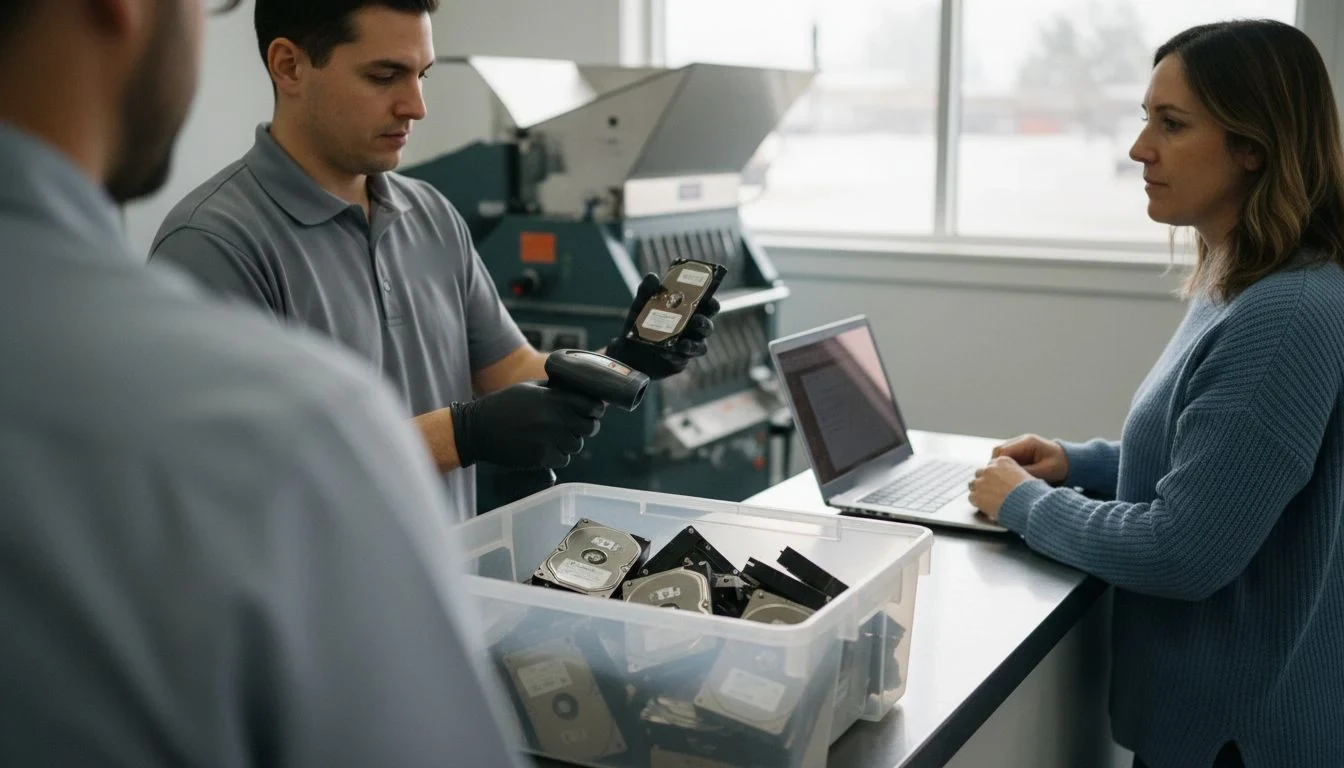
A dead laptop skips step two entirely. A clicking drive does too, because an erase needs a drive that cooperates. I lost an evening trying to get mine to mount before I gave up, and that is the situation a destruction service is for. I didn’t try to take anything apart myself and I won’t tell you to. The facility pulled the drive out of my laptop at the counter in under two minutes.
What a hard drive disposal service costs, route by route
These are my own quotes from one metro area in 2026. Your numbers will be different, so use the structure and call around for the prices.
The off-site shredding facility that took my six boxes of paper last week destroys drives too: $10 per loose drive, $15 for a whole laptop where they remove the drive for you, $1 per USB stick or memory card, certificate included. A mobile truck with a drive shredder on board quoted a $150 minimum covering up to 20 drives. A mail-in service quoted $39 per drive, with a prepaid box and a certificate emailed about ten days after it arrives.
For my two drives, that’s $25 at the facility, $78 by mail, or $150 for the truck. The truck costs the same for two drives or twenty, which makes sense for an office and very little sense for a closet shelf.
| Item on my shelf | Does it power on? | Where it went | What it cost me | Proof I got back |
|---|---|---|---|---|
| 2014 laptop | No | Destruction facility, whole laptop | $15 | A certificate line with the drive’s serial number |
| 1 TB external drive | Spins, then clicks | Destruction facility, loose drive | $10 | A second line on the same certificate |
| 2 TB external drive | Yes | Full erase at home, kept as my backup drive | $0 and 5 hours 40 minutes | None needed, it never left the house |
| 2017 desktop tower | Yes | Backed up, factory reset, county e-waste drop-off | $0 | Nothing on paper, which is why the reset came first |
| 9 USB sticks, 3 SD cards | Kept the 2 that worked | Facility media bin | $10 | One batch line on the certificate, no serials |
Total: $35 and one Saturday morning, with both stops on the same loop. The laptop had been up there since about 2019.
Common hard drive disposal service mistakes
- Calling a quick format an erase. Mine took eleven seconds and my friend had my files back in four minutes. A real erase is slow.
- Dropping a dead laptop in a free bin with the drive inside. A free drop-off is a good home for a machine you already reset. The one you couldn’t reset needs a different stop.
- Booking a truck minimum for two drives. $150 for two drives works out to $75 each, against $10 at a counter twenty minutes away.
What the free e-waste drop-off will and won’t do
The county drop-off took the desktop tower for free in about ninety seconds. I asked the attendant what happens to the drives inside, and he didn’t dress it up: they go to the recycler as they are, and nobody on site wipes or destroys anything. That’s why the tower got reset at home first and the dead laptop went to the facility.
Batteries were the part I hadn’t thought about. The EPA says to remove batteries from electronics because they may need to be recycled separately, and that lithium-ion batteries and devices containing them should not go in household garbage or recycling bins. My laptop’s battery came out at the facility along with the drive and went into its own bin. The EPA’s electronics donation and recycling page also points to manufacturer and retailer take-back options.
If you want one filter for picking a recycler, the EPA names two accredited certification standards in the US, R2 and e-Stewards, and says both require destruction of all data on used electronics. Before I paid, I asked the facility which one they held. They answered in one word, like people ask them all the time. The EPA’s certified electronics recyclers page has the details.
What goes on a certificate of destruction
Mine is one page. It lists the company, the date, the method (shredded), a line per drive with its serial number, and one line for the batch of sticks and cards.
For a household, I’d treat it as a receipt. It tells you which drives were destroyed and when, which helps the day you wonder whether that old laptop is still out there somewhere. It won’t protect you legally, and a service that says it will is overselling. If you run background checks on tenants or a nanny, a federal rule covers how you dispose of that report information, and I wrote about it in the paper shredding post. Everyone else only needs to check that their serial numbers made it onto the page. Flip each drive over and photograph its label before you drop it off. Thirty seconds, and you have something to match against.
Grab the free printable: my one-page Drive Drop-Off Sheet, with a spot for every device’s serial number, a “does it power on?” column that tells you erase or destroy, and the two questions to ask any hard drive disposal service before you hand something over. Get the free sheet →
What didn’t work, and what I’d do differently
I almost dropped the whole tote at the county drop-off on the way to the grocery store. Laptop, clicking drive, shoebox, all of it. I was one parking spot away, and the only reason I stopped was that the tower was heavy and I wanted to ask whether they took it before carrying it across the lot.
Before that, I lost an evening to the clicking drive and a few months to a quick format I thought was an erase. Neither cost money. Both let me believe the problem was handled when it wasn’t.
Next time I’ll sort by “does it turn on” before calling anyone, since that one question decided every row of my table. I now keep a small drawer in my desk for anything with storage in it, so the next dead phone doesn’t spend five years in a closet. And if paper is part of the same pile, how I organize paperwork at home covers that half.
Frequently asked questions
How much does a hard drive disposal service cost?
In my area in 2026, a drop-off facility charged $10 per loose drive and $15 for a whole laptop with the drive removed for me, certificate included. A mail-in service quoted $39 per drive, and a mobile truck quoted a $150 minimum covering up to 20 drives. For one or two drives, the drop-off counter was the cheapest by a wide margin.
Is wiping a hard drive enough, or does it need to be destroyed?
If the computer or drive still works, the FTC’s advice for consumers is to back up what you want and erase it with the program that comes with your operating system, which resets it to factory settings. If it won’t power on or won’t mount, you can’t erase it, and destruction is the realistic option.
Can I drop an old laptop at a free e-waste event?
Yes, once it’s backed up and reset. The attendant at my county drop-off told me drives go to the recycler as they are, with no wiping on site. For a laptop that won’t turn on, use a service that destroys the drive, or ask the recycler whether they hold R2 or e-Stewards certification.
If you have a shelf like mine, start this week with one question per device: does it turn on? The ones that do get backed up and erased at home. The ones that don’t go in one bag, with a photo of each label, to the nearest counter with a shredder.
Get my free Home Reset Planner
The calm, room-by-room planner I use to reset my whole home without the overwhelm. Join the newsletter and I’ll send it straight to your inbox.
No spam, ever. Unsubscribe anytime. — Lena
Keep reading — more on Home Services & Costs
Dryer Vent Cleaning Cost (and Why Fall Is When I Book It)

Hot Tub Removal Cost: What We Paid to Get Ours Gone

Rent a Christmas Tree: What Our Potted Spruce Cost (and Asked of Us)